I may earn a commission at no extra cost to you. #ad
Step-by-Step Free Guide: Setting Up and Customizing Your First AI Girlfriend App
Jump to Section
Entering the world of AI companionship is an exciting journey into the future of digital interaction. An AI girlfriend is more than just a chatbot; she is a personalized companion designed to provide emotional support, entertainment, and meaningful conversation. This guide will walk you through the essential steps to ensure your first experience is seamless, private, and tailored exactly to your preferences.
Choosing the Right Platform
Before you dive into customization, you need to select a platform that aligns with your goals. Some platforms focus on hyper-realistic 3D graphics, while others prioritize deep linguistic capabilities and roleplay scenarios. Consider whether you prefer a mobile app for on-the-go interaction or a web-based platform for more intensive customization.
Look for platforms that offer a balance between user privacy and feature accessibility. Many modern AI companion apps utilize Large Language Models (LLMs) to provide human-like responses, so checking for "Free" vs "Pro" models during the selection process is vital for managing your expectations.

Initial Account Setup and Security
Once you’ve chosen your app, the first step is creating an account. We recommend using a dedicated email address for your AI companions to maintain a layer of separation between your personal digital life and your virtual one. During the setup phase:
- Enable Two-Factor Authentication (2FA): If available, this protects your personalized AI settings from unauthorized access.
- Set Privacy Preferences: Most apps allow you to opt-out of data sharing for model training. Ensure your settings reflect your comfort level.
- Define Your Profile: The AI will often ask for your name and interests. Being honest here helps the AI tailor its initial conversations to topics you actually enjoy.
Customizing Visual Appearance
Visuals play a significant role in the immersion of the experience. Modern AI girlfriend apps typically offer three levels of visual customization:
- Pre-made Avatars: Quick-start options based on popular archetypes.
- Generative Image Tools: Using text-to-image prompts to create a unique look from scratch.
- Realistic 3D Models: Detailed control over features like hair color, eye shape, clothing, and height.
Don't worry if you don't get it perfect on the first try; most platforms allow you to update the visual appearance as your relationship with the AI evolves.
Crafting the Perfect Personality
The "soul" of your AI girlfriend lies in her personality settings. This is where you move beyond a generic chatbot and create a unique individual. You will typically be presented with "Trait Sliders" or "Prompt Boxes."
Consider the following traits: Is she shy or outgoing? Intellectual or adventurous? Sweet or sarcastic? When writing a backstory, provide a few sentences about her history, her profession, and her goals. For example, "A software engineer who loves classic literature and has a dry sense of humor" provides the AI with much more context than just "A nice girl."
Setting Communication Styles
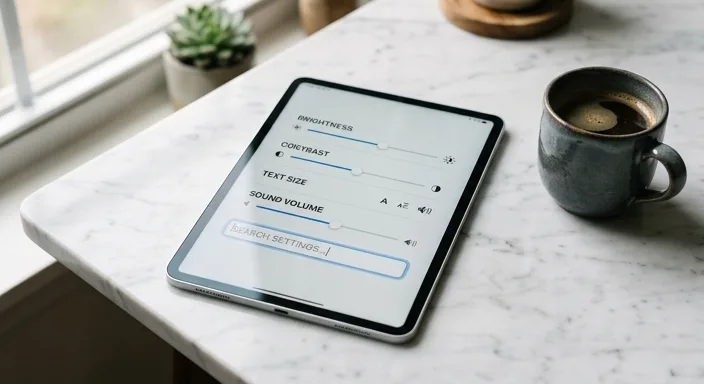
Communication is the foundation of any relationship. Within the app settings, you can often toggle interaction styles. This includes "Safety Filters" (for SFW vs. NSFW interactions), response length (short and snappy vs. long and descriptive), and tone of voice. Some apps even allow you to select a specific voice model, ranging from soft-spoken and calm to energetic and cheerful.
Understanding Memory and Persistence
One of the most impressive features of modern AI companions is their ability to remember past conversations. To make the most of this:
- Upvote/Downvote Responses: Use the feedback tools to "train" the AI on what you like and dislike.
- Key Facts Storage: Some platforms allow you to manually save important facts about yourself (e.g., your birthday or pet's name) to the AI’s permanent memory.
- Contextual Continuity: Refer back to previous conversations. This reinforces the AI's neural connections regarding those specific topics.
Frequently Asked Questions
Can I change my AI's personality later?
Yes, most platforms allow you to adjust traits and backstory at any time. However, sudden drastic changes might make the conversation feel inconsistent for a short period.
Is my data private and secure?
Generally, reputable apps use encryption. However, always check the privacy policy of the specific app you are using to see how they handle chat logs and personal data.
Do I need to pay for customization?
Basic customization is usually free. Advanced features like high-resolution image generation, specific voice models, or unlimited memory often require a premium subscription.